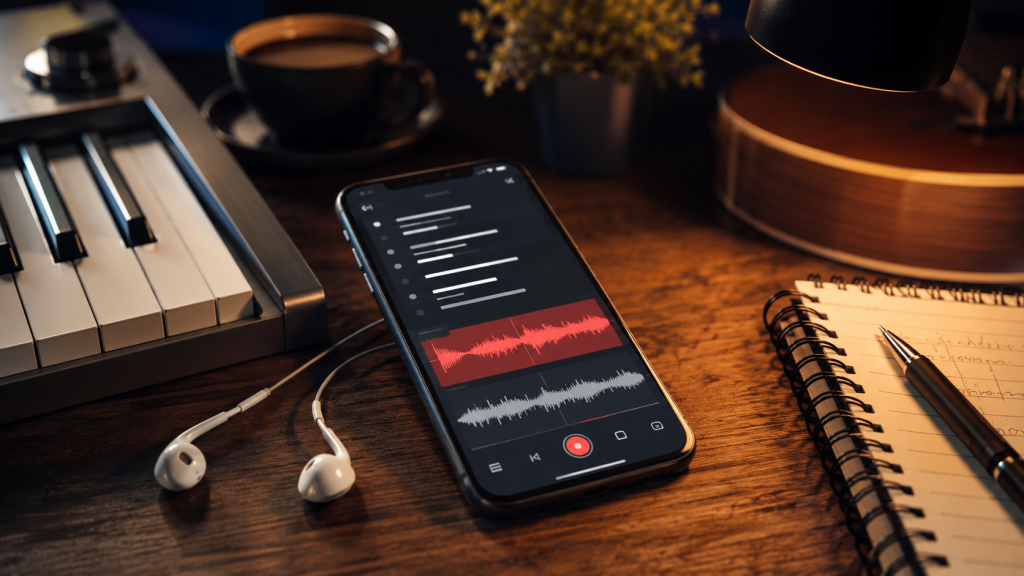
You have hundreds of untitled voice memos. Somewhere in there is the hook you hummed at 2am. Good luck finding it.
If you write songs on your phone, you already know the problem. Lyrics live in Notes. Melodies live in Voice Memos. Beats live somewhere else. Nothing connects. By the time you scroll through “New Recording 247” trying to match it to a chorus idea, you’ve lost your focus and are completely distracted.
Below are 8 apps that keep lyrics and recordings together, or at least close enough to be useful. No bloated DAW list pretending every songwriter needs a production suite. Picks for the moment between getting an idea and turning it into a real demo.
Quick Picks
- Best overall for lyrics and audio in one note: Spit Notes.
- Best free full mobile DAW: BandLab.
- Best for rappers recording over beats: Rapchat.
- Best for rhyme-heavy rap and poetry drafts: Rhymer’s Block.
- Best for collaborative writing teams: Songcraft.
What to Look for in a Lyrics-and-Melody App
The best songwriting app is the one that gets out of your way fastest. When a hook hits while you are walking, driving, or half-asleep, you need a short path from idea to capture.
- One-tap recording speed. If you have to open folders, pick a project, or load a studio before hitting record, the idea is already fading.
- Lyrics and audio in one place. The app should keep the written words and the melody recording together so the relationship does not live only in your memory.
- Organization and search. Titles, folders, and lyric search matter once your idea bank grows past a dozen songs.
- Mobile-first design. Most raw ideas hit away from the desk. Your phone workflow should feel fast, not like a smaller version of desktop software.
- Fair pricing. Capturing ideas should not require a production-suite subscription unless you actually need production-suite features.
This list does not focus on full DAWs like GarageBand, Logic, or FL Studio Mobile. Those are great once you are producing. This article is about the capture moment: writing lyrics, recording melodies, saving hooks, and finding them later.
That mobile-first shift is real. Fortune Business Insights projects the smartphone music production software market to grow from $104.8 million in 2026 to $229.4 million by 2034. More songwriters are using phones as the first stop in the creative process, and the tools are catching up.
The 8 Best Apps for Recording Lyrics and Melodies Together in 2026
Here is the quick comparison before the detailed notes. The price column uses the same format for each app: free entry point first, then the paid upgrade price or public in-app purchase range where that is how the store lists it.
| App | Best For | Price | Platform | Lyrics + Audio Together? |
|---|---|---|---|---|
| Spit Notes | Keeping lyrics and audio in one note | Free; unlock $4.99 lifetime; AI $1.99/mo | iOS | Yes |
| BandLab | Free full-song demos | Free; Pro $14.99/mo; Max $34.99/mo | iOS, Android, Web | Partial |
| Lyric Notepad | Text-first lyric writing with recording | Free; IAP $0.99-$99.99 | iOS, Android | Yes |
| Songwriter’s Pad | AI-assisted writer’s block help | Free trial; paid plans up to $239.99/yr | iOS, Android, Mac, Windows | Yes |
| Voice Memos + Notes | The default free combo | Free; no app-specific upgrade | iOS | No |
| Rapchat | Rappers recording over beats | Free; Gold $9.99/mo; Platinum $19.99/mo | iOS, Android | Partial |
| Songcraft | Collaborative songwriting teams | Free; Pro $5/mo | Web | Yes |
| Rhymer’s Block | Rhyme-first rap and poetry drafts | Free; IAP $0.99-$9.99; Mac Pro $9.99 | iOS, Android, Mac | Partial |
1. Spit Notes: Best for Keeping Lyrics and Audio in One Note
Spit Notes is built for the capture moment, not the production session. One tap from the iPhone Lock Screen or Control Center gets you recording, and the audio lands beside the lyric note instead of disappearing into a folder of unnamed voice memos.
I built Spit Notes because I was drowning in “New Recording 37” files and could never find the hook I recorded at 6pm while driving. The core idea is simple: Voice Memos and Notes should have been one songwriting workspace all along.
- One-tap recording from iOS Lock Screen access and Control Center.
- Lyrics and audio recordings together in the same searchable note.
- Search for finding hooks, verses, rhymes, and melody ideas later.
- Color-coded rhyme highlighting, AI Rhyme Book with syllable counts, and context-aware lyric ideas.
- Familiar layout and minimal features to keep you focused.
Price: free to try. Unlimited notes are a $4.99 lifetime unlock, and the optional AI plan is $1.99/month.
Platform: iOS.
Honest take: Spit Notes is not a DAW. If you need multi-track production, look at BandLab. But if you want the fastest path from idea to organized, searchable note with audio attached, this is the cleanest fit.
2. BandLab: Best Free Mobile DAW for Full Song Demos
BandLab is the giant in this space because it gives musicians a serious mobile studio for free. You can record vocals, make beats, mix demos, collaborate, master tracks, and share music from one account.
- Multi-track recording and mixing.
- Beat-making tools, loops, samples, and virtual instruments.
- Built-in notepad for lyrics and song notes.
- Cloud projects that work across iOS, Android, and web.
- Collaboration and sharing features for finishing tracks with others.
Price: free core music creation tools. The U.S. App Store lists BandLab Pro at $14.99/month or $149.99/year. BandLab also has a higher Max tier; some app-store listings show Max at $34.99/month or $349/year, but plan availability and annual offers can vary by platform and region, so confirm the current price in BandLab checkout before subscribing.
Platform: iOS, Android, and web.
Honest take: BandLab is extremely powerful, but it is a DAW. Opening it just to jot one line and hum one melody can feel heavier than the moment requires. If you want to turn an idea into a full demo on your phone, BandLab is hard to beat. If you only need lyrics and audio connected quickly, a capture-first app is faster.
3. Lyric Notepad: Best Free Lyric Writing App with Recording
Lyric Notepad is for writers who start with words. You write lyrics, count syllables, see rhyme matches, and use the built-in recorder when you need to attach an audio idea.
- Lyric editor with automatic rhyme matching.
- Syllable counter for tightening lines.
- Built-in recorder for capturing vocals and melodies.
- Measure mode for fitting lyrics to a beat.
- Rhyme, definition, and synonym lookup.
Price: free download. Google Play lists Lyric Notepad in-app purchases from $0.99 to $99.99 per item, so the exact upgrade depends on the premium feature or subscription offered in your storefront.
Platform: iOS and Android.
Honest take: Lyric Notepad is strong if your process starts on the page. The rhyme and syllable tools are genuinely useful for rappers and lyricists. Recording is part of the app, but the workflow is text-first. If you often record a melody before you know the words, Spit Notes may feel more natural.
4. Songwriter’s Pad: Best for Overcoming Writer’s Block
Songwriter’s Pad is the most AI-forward app on this list. It combines lyric generation, idea prompts, rhyme lookup, beat tools, and audio recording into a cross-platform songwriting workspace.
- AI lyric generator for themes, moods, and genres.
- Idea generator for writer’s block.
- Rhyming dictionary and lyric builder.
- Audio recorder for melodies and vocal ideas.
- Downloads for iOS, Android, Mac, and Windows.
Price: free trial. Songwriter’s Pad lists paid plans with regular annual prices from $59.99 to $239.99, with discounted monthly equivalents shown from $3.33/month to $11.99/month.
Platform: iOS, Android, Mac, and Windows.
Honest take: If you want AI to generate lyrics for you, Songwriter’s Pad is built around that. That can be useful when you are stuck, but it is a different philosophy from using AI as a spark. Spit Notes keeps AI closer to a rhyme book and idea nudge, while Songwriter’s Pad is more comfortable producing full lyric suggestions.
5. Voice Memos + Notes: The Default Combo
This is every iPhone songwriter’s starting point. Voice Memos records audio. Notes holds lyrics. Both are free and already there.
- Voice Memos records quick audio on iPhone, iPad, Apple Watch, and Mac.
- Notes handles lyrics, titles, checklists, and rough ideas.
- Both sync through iCloud.
- No extra download or subscription required.
Price: free. There is no separate premium upgrade for the default Voice Memos + Notes combo, though paid iCloud storage may matter if you save a large recording library.
Platform: iOS and Apple devices.
Honest take: This setup works until it does not. There is no native way to attach one recording to one lyric note. There is no rhyme help, no song-specific tagging, and no songwriting organization. This is the workflow every dedicated app on this list exists to replace.
6. Rapchat: Best for Rappers Recording Over Beats
Rapchat is built for recording performances over beats. Choose from a huge beat library, write bars, record vocals, add effects, and share with the Rapchat community.
- Large beat library for rap, trap, drill, Afrobeats, and more.
- Vocal recording and editing tools.
- AI-powered vocal effects and tuning.
- Lyric pad for writing verses.
- Social sharing, collaboration, and discovery features.
Price: free plan available. Rapchat Gold is $9.99/month, and Rapchat Platinum is the full premium tier at $19.99/month.
Platform: iOS and Android.
Honest take: Rapchat is excellent if the idea already wants a beat. It is less ideal for the raw capture moment where you just need to save a hook, title, or melody before it disappears. Think of Rapchat as a lightweight rap studio and Spit Notes as the notebook before the studio.
7. Songcraft: Best for Collaborative Songwriting Teams
Songcraft is a web-based collaborative songwriting platform. It brings lyrics, chords, tabs, recordings, and writing tools into one shared workspace, which makes it useful for bands and co-writers.
- Lyrics, chords, and guitar tabs in one document.
- Real-time collaboration for co-writers.
- Rhyming dictionary and syllable counts.
- Chord tools and progression help.
- Voice recorder and song attachments.
Price: free plan available. Songcraft Pro is $5/month for unlimited songs and the full collaboration feature set.
Platform: web.
Honest take: Songcraft is great when multiple people need to shape a song together. It is more structured than a quick phone capture app, and the web-first workflow can feel like overkill for solo writers catching ideas on the go. For co-writes, though, it is one of the strongest options here.
8. Rhymer’s Block: Best for Rhyme-First Rap and Poetry Drafts
Rhymer’s Block is for writers who build from words, rhymes, and bars before they worry about a full recording. It is closer to a smart rap notebook than a recorder: real-time rhyme suggestions and color-coded rhyme highlighting help you keep writing, while SoundCloud embeds let you connect a beat or reference track to the note.
- Real-time rhyme suggestion engine.
- Color-coded rhyme highlighting for spotting rhyme patterns.
- Cloud saving for keeping lyrics available across devices.
- SoundCloud embeds inside notes for beat and reference-track context.
- Community features for sharing work, commenting, collaborating, and rap battles.
Price: free download on iOS and Android. Google Play lists Rhymer’s Block in-app purchases from $0.99 to $9.99 per item, and the Mac Rhymer’s Block PRO app is $9.99.
Platform: iOS, Android, and Mac.
Honest take: Rhymer’s Block is a strong choice if your biggest friction is finding better rhymes and shaping lines on the page. It is not the best fit if you want to record a melody directly into the same note. For that, use Spit Notes, which also has color-coded rhyme highlighting and syllable counts in its Rhyme Book, or Lyric Notepad. For rhyme-first writing with beat references, Rhymer’s Block earns a spot.
How to Pick the Right App for Your Workflow
The best app depends on what you need in the ten seconds after inspiration hits.
- “I just need lyrics and audio in one place, fast.” Use Spit Notes.
- “I want a free full DAW on my phone.” Use BandLab.
- “I write with a band or co-writers.” Use Songcraft or BandLab.
- “I rap over beats and want to share tracks.” Use Rapchat.
- “I want live rhyme help while drafting bars.” Use Rhymer’s Block, or Spit Notes if you also want recordings attached to the note.
- “I want AI to generate lyrics when I am stuck.” Use Songwriter’s Pad.
- “I write lyrics first and care about syllables.” Use Lyric Notepad.
The main thing is speed. Features are useful only if the app is open when the idea hits. A simple capture tool you use every day beats a powerful app you avoid because it takes too long to start recording.
Frequently Asked Questions
What is the best app for recording lyrics and melodies together?
Spit Notes is the best fit if you want audio recordings and lyrics in one searchable note with fast iPhone capture. BandLab is the better choice if you want a full DAW where lyrics are part of a larger production workflow.
Can I use Voice Memos for songwriting?
Yes, but Voice Memos was not designed as a songwriting system. It records audio well, but it does not attach that audio to a lyric, hook title, chord idea, or song folder. That is why so many writers end up with a voice memo graveyard.
What songwriting apps work on iPhone?
Spit Notes, BandLab, Lyric Notepad, Rapchat, Songwriter’s Pad, Voice Memos, Songcraft, and Rhymer’s Block all work on iPhone in some form. Spit Notes is iOS-focused. BandLab, Lyric Notepad, Rapchat, Songwriter’s Pad, and Rhymer’s Block also support Android.
Do songwriting apps use AI to write your songs?
Some do. Songwriter’s Pad leans into AI lyric generation, while Rapchat uses AI for vocal effects and creation tools. Spit Notes uses AI more like a writing assistant on-demand: rhyme suggestions and lyric sparks that help you keep moving without getting stuck on writer’s block.
Are songwriting apps free?
Most use freemium pricing: free download or free core tools first, then a paid upgrade. Voice Memos and Notes are free with no app-specific premium tier. Spit Notes uses a $4.99 lifetime unlock plus an optional $1.99/month AI plan; Songcraft Pro is $5/month; Rapchat Platinum is $19.99/month; and Rhymer’s Block has $0.99-$9.99 mobile in-app purchases plus a $9.99 Mac Pro app.
Key Takeaways
- Spit Notes is purpose-built to keep lyrics and audio recordings together in a single, searchable note.
- BandLab is the best pick when you want a free mobile DAW, not just a capture tool.
- The Voice Memos + Notes combo is free, but it creates the split workflow most songwriters are trying to escape.
- Rapchat is strongest for rappers recording over beats, while Songcraft is strongest for teams and co-writes.
- Rhymer’s Block is strongest when you need live rhyme help and a lyric-first drafting space.
- AI works best when it supports your ideas instead of replacing your voice.
- One-tap recording speed matters more than a huge feature list when you are capturing ideas on the go.
Closing
The best songwriting app depends on where you are in the process. Raw idea? Capture fast. Full demo? Open a DAW. Co-write? Use a shared workspace. Beat-ready verse? Use a rap studio app.
For the specific problem of recording lyrics and melodies together, the important thing is keeping the idea intact. The words, melody, title, and vibe should live in one place so you can find them later and keep building.
Download Spit Notes on the App Store and try one-tap recording for your next song idea.